|
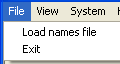
File/Load names
Loads the names that has been imported into BridgeTab Admin. c.f. the Load Names page.
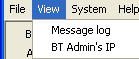
View/message log
The message log is useful when you want to find out why something went wrong. It is not obvious how to read the log and this alternative is only intended for advanced users without a [paid] service pack, c.f. Personal Help.
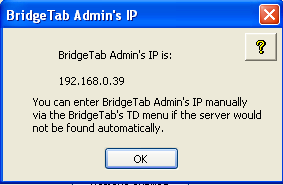
View/BT Admin's IP
You can look up the IP that BT Admin is using and check that the BridgeTabs show the same IP, c.f. the TD menu on the tablet.
Note that some IP addresses are not real. If BT Admin has got an address starting with 127, or 169.254, it indicates that the PC has lost contact with the BT network.
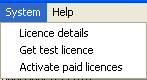
System/Licence details
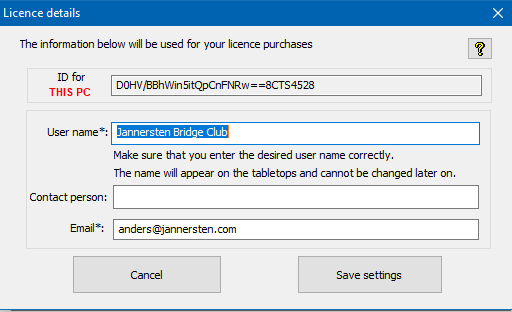
Set the club name that you want to show on the Bridgetabs in the user name field.
System/Get test licence
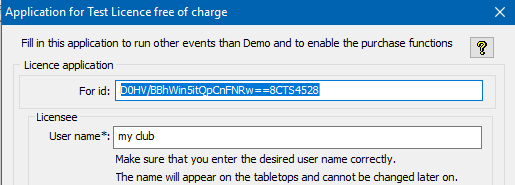
You can use this alternative to apply for a complimentary test licence that is good for 30 days for up to 15 tables to be used on the PC that you currently use.
Note that you cannot apply for test licences repeatedly.
System/Licence for another PC
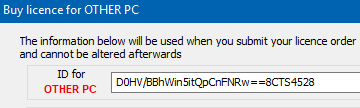
You need to use the "other PC" options if you need to get a licence for another PC than the one that you are currently using.
You should first apply for a complimentary test licence that is good for 30 days if you have not already consumed the test period. Then you can buy licences. This is explained more in detail on a separate page.
System/Load licence code
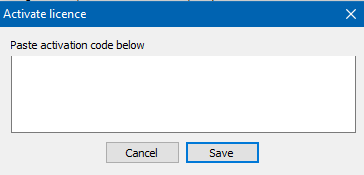
You should use the Activate licences button if the scoring PC is online because that is fool proof. Note that you will have to paste the ENTIRE licence, including << and>> if you use the dialog shown to the fight.
System/Enable TD call
The TD call button on the tablets will be activated when you tick this alternative. The TD call function requires a TD call licence that you can purchase via the Buy & renew button.
You can try the TD call function in both Dummy and Demo mode.
System/Disable arrow switch
You should disable arrow switch handling if you have one EW and one NS winner as that will speed up the process at the start.
System/Master players
This setting regulates how the players will change compass direction if they do not start their start direction (N, S, E or W) throughout. See the Master players page for details.
System/Suppress help
Suppress Help means that the ?-button on the BridgeTabs will not lead to the inbuilt help. A long press on the ?-button will lead to the TD menu as usual.
System/Suppress other results
You can enable this alternative if you for some reason do not want to show the results achieved at the other tables on the "traveller"; i.e. the screen that follows when a result is submitted.
Inbuilt help
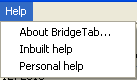
You can reach the help pages from here, but the recommendation is that you should click the ? button in the situation that you have problems with. Note that the search function at the bottom of the Help pages requires Internet connection.
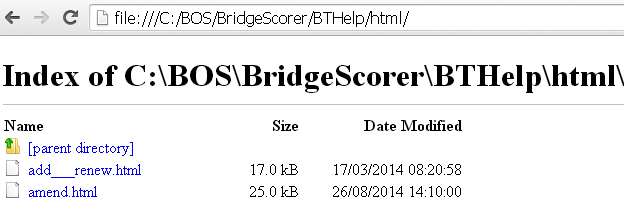
You can search manually via the index by removing everything after html/ in the address if the PC would be offline, c.f. the illustration to the right.
Personal Help
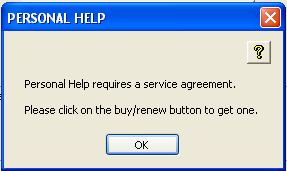
Personal advice has to be prepaid. You should (when you are in good standing for personal support) report your problem via this option. That is to say, send the files that this option generates with a brief explanation of the nature of the situation that you want to have advice on. c.f. the Personal Help page.
|