|
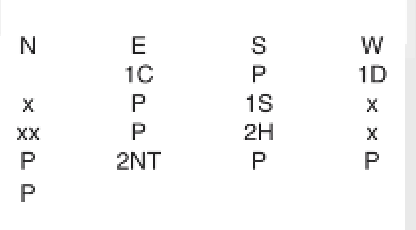
The setting Ask for Bidding in Game Settings enables the players to bid on the tablets. The actual bidding will show below the makables when you select a result in the View Results per board dialog or in the tooltip box that appear when you click a cell in the grid.
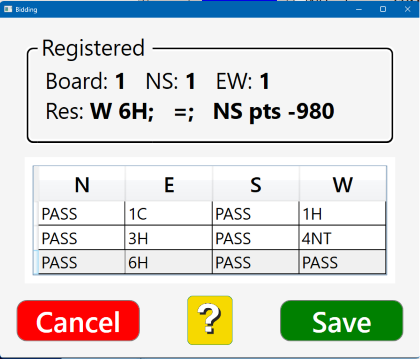
Double.clicking a result in the View Results dialog opens a Change Results dialog. By clicking the Show bidding link you will open the Bidding dialog shown to the right where you can amend the bidding.
A click on the Change bidding link will display the dialog shown to the right.
Highlight the cell (bid) that you want to amend and enter the desired bid.
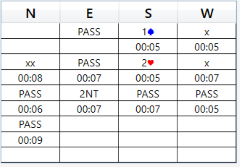
Click the Show Timing button if you want to see the timing.
Note that a change of the bidding in this dialog will NOT affect the contract used for the scoring. That is to say, if you want to change the result used for the scoring you have to do that separately, c.f. the Changing results page.
|