 |
|
|
|||||||||||||||||||||||
|
|||||||||||||||||||||||||
|
Global search |
|||||||||||||||||||||||||
|
|
|||||||||||||||||||||||||























|
 |
|
|
|
|
|
|
|
|
||
|
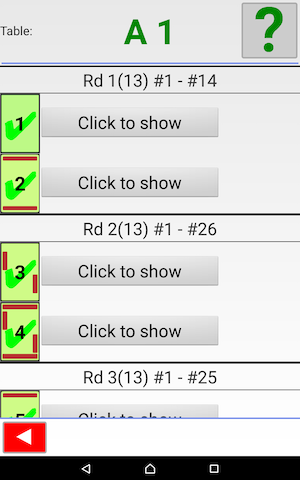
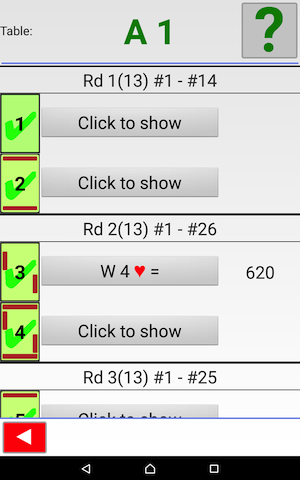
Board icon shaded in green indicates that the result has been sent to the control program. You can click on an entry that you want to change (sent or unsent does not matter). The result on played boards will be displayed when you click the “click to show” button (see Amend = Small change of e.g. tricks. Use the (red) back arrow to go back to the main [TD] menu. |
 |
||||||||
 |
|||||||||
|
TD notice |
|||||||||
 |
|||||||||
|
|
|
|
||||||||||||||||||||||||||||||||||||||||||||||||||||||||||||||||||||||||||||||||||||