|
You can start BridgeTab Control (BTC) in three alternative ways:
1. Start via the Bridge Organizing Software (BOS).

2. Click the BridgeTab Start (BTS) ikon.

3. Set up the game in your scoring program and let it start BTC with the current database.
Start from BOS

Scoring is started by clicking Start scoring in BOS’s main interface. See also Start session.
When you start scoring from BOS in this way the continuation depends on if it is a restart of an event, or not.
A. NEW EVENT
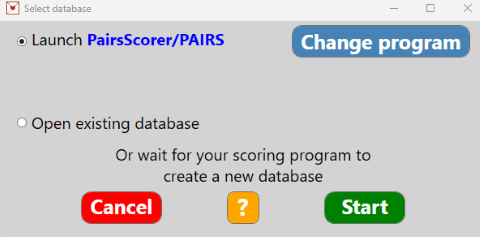
Launch
Launch will start the selected scoring program. The Change program button leads to a dialog where you can accept, or change, the current scoring program.
Open existing
A standard Windows Open Dialog will show. When you have selected a database, BTC will start with that database when you click the Start button.
Wait for scoring program
As soon as BTC detects the database that your scoring program creates, it will start with it.
B. RESTART
BTC will display the database that is associated with the current BOS event:
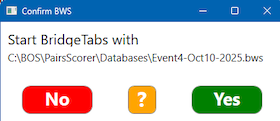
Yes will start BTC with the indicated database. You should click No and select the correct BOS event if you realize that you have made a mistake.
Restart without BOS
You can (alternatively) start BTS (heart icon with white background on the Desktop) and select the database in that view (see the illustration below). The last opened database will appear as default, see the illustration below.
Start from BTC
When you click the BridgeTab icon, you will be prompted to select the database to be used.
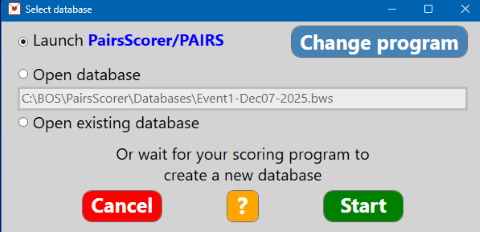
You have four options:
1. LAUNCH SCORING PROGRAM
Launch starts the selected scoring program (PairsScorer/PAIRS in the example). The Change program button leads to a dialog where you can accept, or change, the current scoring program.
2. OPEN LAST USED
BTC is started with the last used database when you click the Start button.
3. OPEN OTHER DATABASE
BTC will start with the database that you select in a standard Open file dialog.
4. WAIT FOR SCORING PROGRAM
This option is an alternative to Launch scoring (the default option). BTC will use the database that your scoring program creates as soon as a new database is detected.
Concurrent events
You can only run one event at a time.
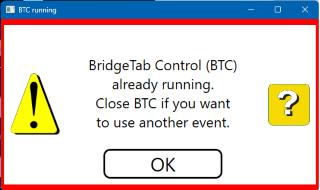
But you can run several independent sessions.
Licence
You can practice with the Demo event but you cannot create, or run, other events without a licence; and you cannot switch on the additional functions without an additional licence for those.
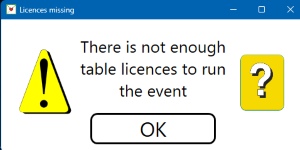 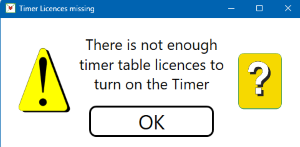
See further the No licence page.

|

