|
To get a licence for another PC than the one that you currently in use is a cumbersome process that you should avoided. If you cannot connect the scoring PC to internet, there is no other solution, however.
First you will have to select BUY LICENCE on the scoring computer. 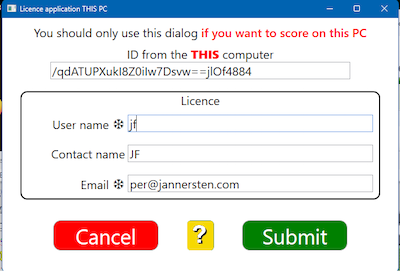
Copy the scoring computer’s ID (starting /qdAT... in the example). Then paste the ID into a licence application for OTHER PC.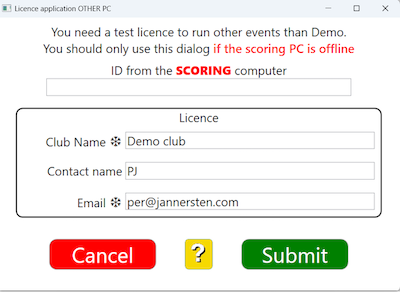
Click Submit, reconfirm that the application is for another PC, and you should get an email with the licence code. Copy the code and bring it to the scoring computer. On the scoring computer you select LOAD LICENCE
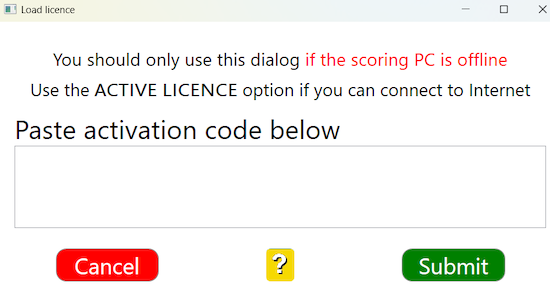
Paste the licence code into the dialog and Submit. The licence is ready to use once it has been activated.

|

