|
|
|
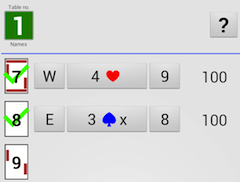
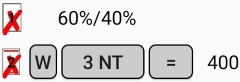
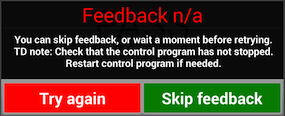
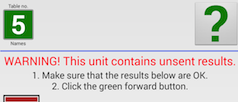
You can select the next board to report or change a previously entered result on this screen. Ticked (in green) indicates that the board has been reported. Crossed (in red) indicates that the board has been reported but not yet sent. Percentages indicate that there is a ruling on the board. In the example shown to the right the 60/40 ruling has not yet been transmitted to the control software. Once transmitted the colour will switch to grey. HOW TO CHANGE Note that each result’s components are buttons (W, 3NT and = in the example shown to the right). You will find more ways to amend the results by clicking the board no. button. See a separate page for details on that. ENDING THE ROUND NO FEEDBACK You can point the tablet to the WiFi base station, or bring it closer, if it is important for you to see the feedback, otherwise skip it. UNSENT RESULTS That is to say, the problem can safely be disregarded until the end. See a separate page if you want to fix the problem right away. |
|
|
|
|