|
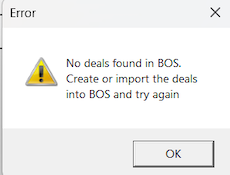
Dealing program starts DupSoft, a program with its own help. BTC will warn if there are no deals available in the system. See further the Deals page.
COM
Click on the START button when you are sure that you have loaded a suitable movement and entered the desired game settings.
Clicking STOP will stop communication but not the play.
A CONTINUE button will appear at change of movement. You should only click the continue button when everything is ready for (re)start.
Sleep
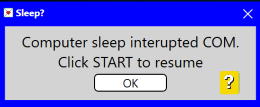
The communication with the tables will not work if the computer falls asleep during the session. You will need to reestablish COM by clicking the START button if this happens.
WiFi
The number shows the (IP) address that BTC has connected to. The tablets on the tables must be connected to the same network as BTC.
  
Green = Connected OK
Crossed green = Connected to a network that cannot be used.
Red = Another network than used at start. This need not be a problem if the tablets use the same network as BTC.

|