|
INSTALLATION
TDCall 3 is an app that you need to install at Google Play Store before using the TD function. The easiest way to find it is to search for BridgeTab 3 and then switch to Jannersten Förlag.
CONNECTING
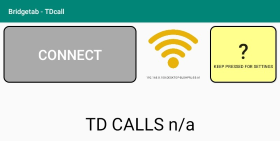
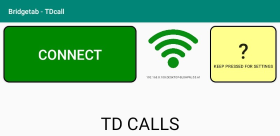
The tablet/phone running the TD call app must be connected to the same network as the BridgeTabs. The colour scheme is the same as used by the BridgeTabs, c.f. the WiFi icon page. The IP that is stated under the icon can also give you a clue if there is a problem. You can hardcode the IP if you cannot solve it in another way, c.f. SETTINGS below.
You can click the CONNECT button to enable the TD call function when the button is green.
Disconnect
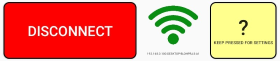
Click DISCONNECT if you for some reason want to disable TDcall.
TD CALLS
You will be notified when there is a table calling your attention. Note that there are also some other cases that can generate an alert, c.f. the Addional Settings dialog.
SETTINGS
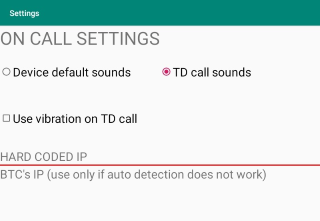
The TDcall settings are reached by holding the ? button pressed.
Sound
Note that you will need to mute your phone/tablet if you do not want any sound.
Hard coded IP
See the BTC IP page.

|